
Blog
Phantasy Star 0 (Nintendo DS) Fix

This guide will explain how to fix the white screen issue that occurs with the Phantasy Star 0 Nintendo DS game.
- Download the fixed version of the game here: https://gofile.io/d/ifStv5
2. Insert the Sumo3DS microSD card into a computer:

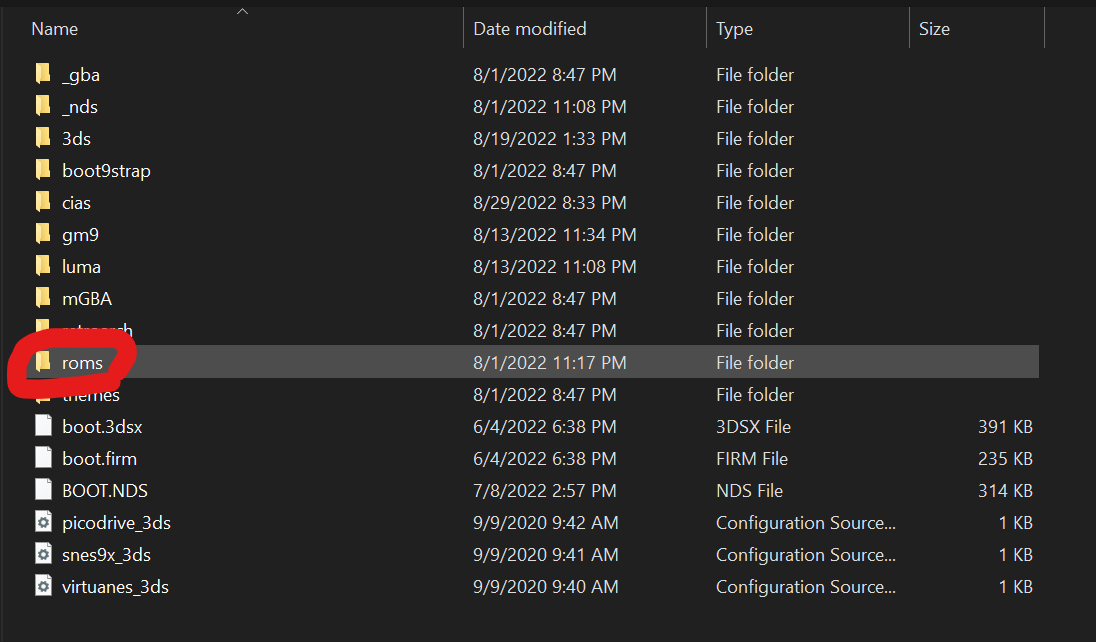
3. Open the drive by double-clicking it, and go into the “roms” folder:
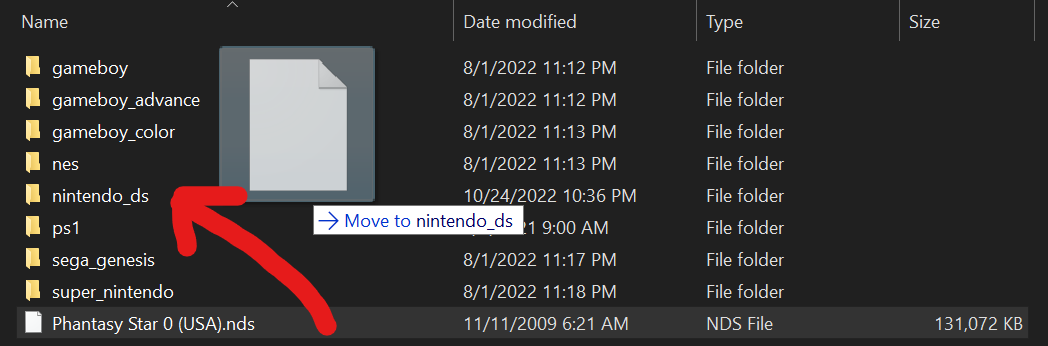
4. Drag the “Phantasy Star 0 (USA).nds” file you downloaded earlier into the “nintendo_ds” folder:
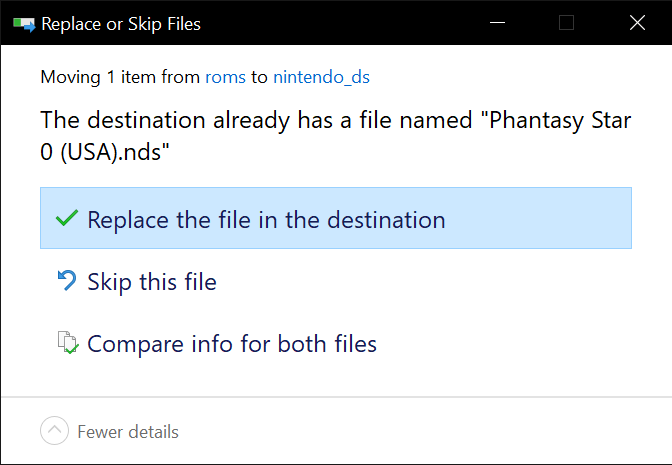
5. You will be prompted to replace the existing file, select “Replace the file in the destination“:
6. Insert the microSD card back into your 3DS console and start the game using the TwilightMenu++ app. It will launch normally and the white screen issue will be resolved.
Related Posts
Buying Refurbished Sony Nintendo Consoles- An Ultimate Guide

Buying refurbished Sony Nintendo consoles can be a great way to enjoy high-quality gaming experiences without paying the premium p...
Nintendo DS Game Fix
This guide will explain how to fix the white screen issue that occurs with the Nintendo DS game.
Download the fixed version of...
How to Install the hShop App
This guide will explain how to install the hShop app. It will allow you to install updates, DLC, and additional games. Your conso...
Minecraft (Nintendo 3DS) Fix
This guide will explain how to fix the error that occurs when launching Minecraft for 3DS
Your console must be connected to a W...