

This guide will explain how to install the hShop app. It will allow you to install updates, DLC, and additional games. Your console must be connected to a Wi-Fi network before continuing
1. Go to the 3DS home screen and open the “FBI” app


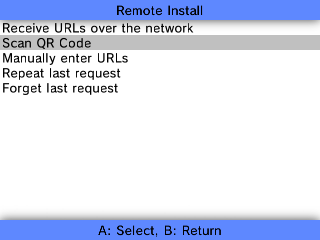
2. Select “Remote Install” from the options


3. Select “Scan QR Code” from the options

4. Using the 3DS camera, scan the QR code found on this page: https://tinyurl.com/225k5xxa
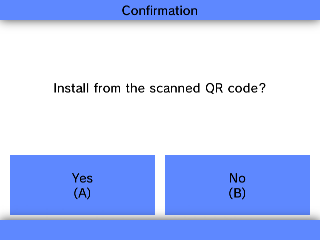
5. Accept the prompt once the code has been scanned successfully

6 Once the download is complete, press the Home Button and the hShop app will appear. Unwrap it to launch.

