Blog
How To Play GameCube Games On Your Nintendo Wii: A Step-by-Step Guide

The Nintendo Wii is a versatile gaming console that not only offers an impressive library of Wii games but also provides the ability to play Nintendo GameCube games. This backward compatibility feature allows you to enjoy classic GameCube titles on your Wii without needing the original GameCube console. If you’re looking to dive into some nostalgic gaming, this step-by-step guide will show you how to play GameCube games on your Nintendo Wii.
Why Play GameCube Games on the Wii?
The Nintendo Wii’s backward compatibility with the GameCube is a significant advantage for several reasons:
- Convenience: You can play two generations of Nintendo games on one console, saving space and making it easier to manage your gaming setup.
- Enhanced Graphics: The Wii outputs a slightly better visual quality than the GameCube when using component cables, improving the overall gaming experience.
- Single Console Setup: There’s no need to set up multiple consoles; the Wii handles both Wii and GameCube games seamlessly.
- Access to Classic Titles: Many of the best GameCube games are still highly regarded today, and playing them on the Wii allows you to revisit these classics.
Also Read- 5 Top Fitness Games For Nintendo Wii: Stay Active While Gaming
What You Need to Play GameCube Games on the Wii
Before you start playing GameCube games on your Wii, you’ll need a few items to ensure everything works smoothly.
1. A Compatible Nintendo Wii Console
Not all Wii consoles are compatible with GameCube games. Here’s how to check if your Wii can play GameCube games:
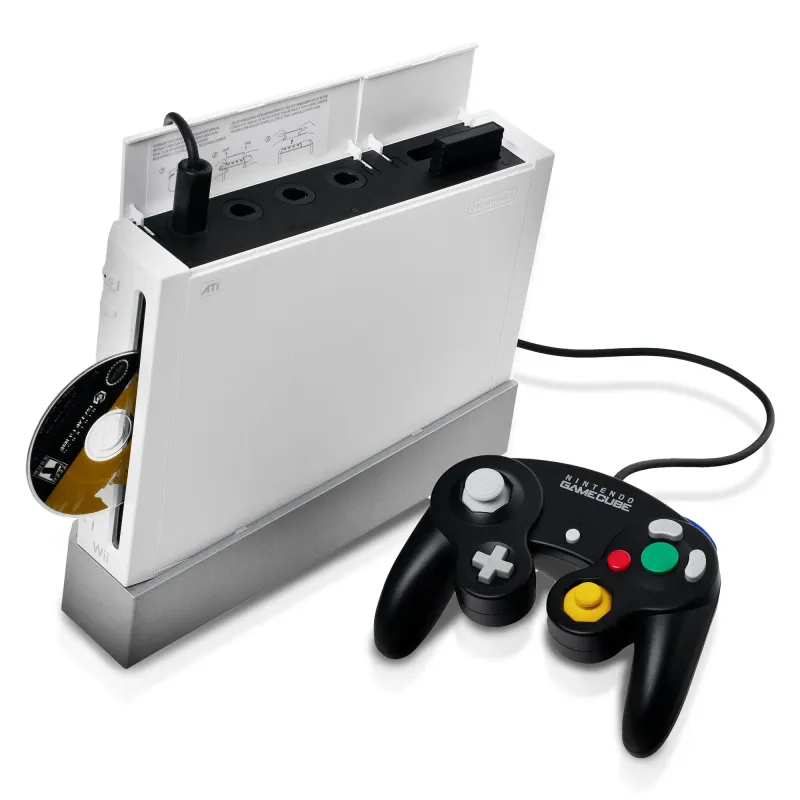
- Look for GameCube Controller Ports: The Wii models that support GameCube games have four GameCube controller ports and two memory card slots on the top of the console, under a flip-up cover. These ports are necessary for using GameCube controllers and memory cards.
- Check the Model Number: If you’re unsure, check the model number. Compatible Wii consoles typically have model numbers starting with RVL-001. Newer models, such as the Wii Family Edition (RVL-101) and Wii Mini (RVL-201), do not support GameCube games.
2. GameCube Controller
You’ll need a GameCube controller to play GameCube games on your Wii. The Wii Remote and other Wii controllers are not compatible with GameCube games. If you don’t have an original GameCube controller, third-party alternatives are available and generally work well.
3. GameCube Memory Card
If you want to save your progress in GameCube games, you’ll need a GameCube memory card. The Wii doesn’t have internal memory for GameCube saves, so a memory card is essential.
4. GameCube Game Disc
Of course, you’ll need the actual GameCube game disc to play the game on your Wii. The Wii has a disc slot that accepts both Wii and GameCube discs.
Step-by-Step Guide to Playing GameCube Games on the Wii
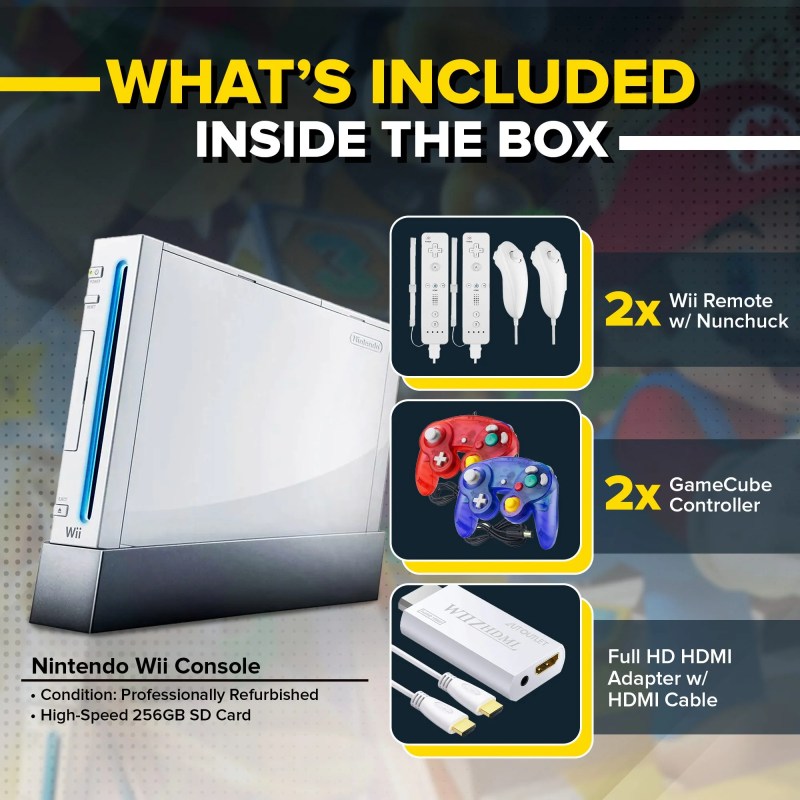
Now that you have all the necessary items, let’s walk through the process of playing GameCube games on your Wii.
Step 1: Set Up Your Wii Console
- Power Off Your Wii: Before making any connections, ensure that your Wii console is powered off and unplugged.
- Open the GameCube Controller Ports: On the top of the Wii console, locate the flip-up cover and open it to reveal the GameCube controller ports and memory card slots.
- Insert the GameCube Controller: Plug your GameCube controller into one of the available ports. Any of the four ports will work, but port 1 is typically used for player 1.
- Insert the Memory Card: If you plan to save your game progress, insert a GameCube memory card into one of the two memory card slots.
Step 2: Insert the GameCube Game Disc
- Power On the Wii: After setting up the controller and memory card, power on your Wii console.
- Insert the GameCube Disc: With the Wii powered on, insert your GameCube game disc into the disc slot. The Wii will recognize the disc and display the GameCube logo on the Wii Menu.
Step 3: Start the GameCube Game
- Select the Game: On the Wii Menu, navigate to the Disc Channel, where you should see the GameCube game you just inserted.
- Start the Game: Click on the Disc Channel, then select “Start” to launch the GameCube game. The game will start just as it would on an original GameCube console.
Step 4: Enjoy Your Game
- Play the Game: Once the game starts, you can play using the GameCube controller. The controls and gameplay experience will be identical to playing on a GameCube console.
- Save Your Progress: If you want to save your game, use the in-game save options, and the data will be saved to the GameCube memory card.
Also Read- The Evolution Of The Nintendo Wii: From Release To 2024
Additional Tips for Playing GameCube Games on the Wii

1. Use Component Cables for Better Video Quality
If you want to enhance the visual quality of your GameCube games on the Wii, consider using component cables instead of the standard composite cables. Component cables offer improved video output, providing a clearer and sharper image, especially on modern TVs.
2. Manage Your Memory Card Data
To manage your GameCube memory card data, go to the Wii Menu and select the “Wii Options” button, then choose “Data Management.” From there, select “GameCube Memory Card” to view and manage your saved data. This allows you to delete unwanted saves or move data between cards.
3. Consider Using WaveBird Controllers
The WaveBird wireless GameCube controller is a great option for those who prefer a wireless gaming experience. It’s compatible with the Wii and provides the same functionality as a wired GameCube controller, but without the cable clutter.
4. Keep Your Discs and Console Clean
Maintaining your GameCube discs and Wii console is important for optimal performance. Clean your game discs with a soft, lint-free cloth, wiping from the center outward. Regularly dust your Wii console and keep the disc slot free from debris to prevent any reading errors.
Also Read- 5 Best WiiWare Games You Can Still Play in 2024
Conclusion
Playing GameCube games on your Nintendo Wii is a straightforward process that allows you to enjoy some of the best titles from Nintendo’s gaming history. By following the steps outlined in this guide, you can easily set up your Wii to play GameCube games, providing hours of entertainment and a nostalgic trip down memory lane. Whether you’re revisiting old favorites or discovering classic titles for the first time, the Nintendo Wii’s backward compatibility makes it an essential console for any gaming enthusiast. So, grab your GameCube controller, pop in a disc, and start enjoying your favorite GameCube games on your Wii today!